Pages & Editor
Pages are the public URLs on your site. The editor is where you change the content, layout, and blocks that appear on each page.

Manage Pages
Open Pages from the site sidebar to create, organize, and publish pages.
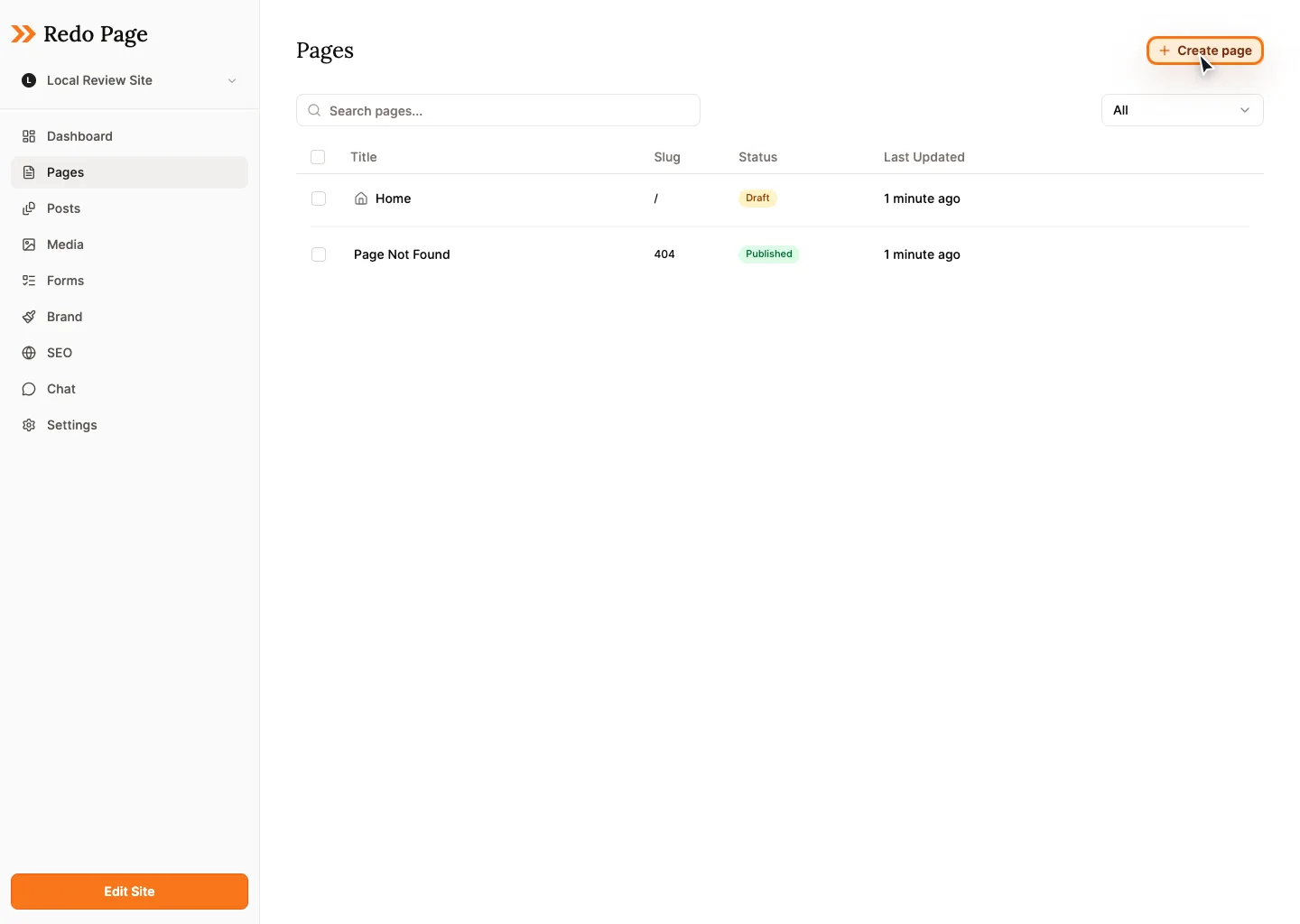
- Create page: Add a title, choose a URL slug, and optionally place it under a parent page.
- Edit: Open a page in the visual editor.
- Duplicate: Copy an existing page when you need a similar layout.
- Set homepage: Choose which page appears at the root of your site.
- Archive or restore: Hide pages without permanently deleting them.
- Publish: Push draft changes live for visitors.
Edit A Page
In the editor, click content directly on the canvas. Text, buttons, images, and blocks expose controls close to the thing you are editing.
Text
Click text to edit it. Use the formatting toolbar for links, emphasis, headings, and alignment.
Blocks
Add sections, reorder them, delete them, and use undo if you change your mind.
Preview
Use preview mode before publishing to check the visitor experience.
Drafts, Publishing, And Version History
Edits save automatically as drafts. Visitors keep seeing the last published version until you publish. When you need to recover older work, use version history from the page or publish workflow.
Good Habits
- Keep page URLs short and descriptive, like
/servicesor/about. - Preview after major layout edits.
- Publish pages in small batches when you are changing navigation or launch-critical copy.
- Archive old pages first if you are unsure whether you will need them later.
Helpful AI Prompts
New page outline prompt
Create a new page outline for my site.

Page goal:
Audience:
Main offer:
Questions visitors have:
Proof I can mention:
Call to action:

Return a section-by-section outline with suggested headings.
Pre-publish page audit prompt
Audit this page before I publish it.

Check for:
- unclear headlines
- missing calls to action
- confusing order
- weak proof or trust signals
- sections that feel too long

Give me the top 5 changes to make first.