AI Tools
Writer's block? Not sure what to fix next? Redo Page's built-in AI is here to help - just describe the outcome you want.
Writing Assistant
The AI writing assistant helps when you're stuck or want a second opinion on your text. Here's how to use it:
- Click on any text block on your page
- Look for the sparkle icon (✨) in the toolbar
- Tell the AI what you need
What it can do
Clean up your writing
Fix grammar, spelling, and awkward phrasing. Great for a quick polish before publishing.
Make it shorter
Turn a long paragraph into a punchy sentence or two. Perfect for headlines and CTAs.
Make it longer
Expand a bullet point into a full paragraph. Helpful when you know what to say but not how to say it.
Change the tone
More professional for an accounting firm. Friendlier for a pet store. Match your brand voice.
Translate
Convert your text to Spanish, French, German, and many other languages instantly.
Write from scratch
Describe what you need: "Write a welcome message for a yoga studio" and let AI draft it.
You're always in control
AI suggests changes - you decide whether to keep them. Don't like the result? Try again with different instructions, or just dismiss it.
Image And Media Help
Redo Page does not currently generate images directly inside the editor. Use the media library to upload and organize images, and use AI chat to help decide what kind of image a section needs.
- Open the page or section that needs a better visual
- Ask AI chat for an image brief that fits the business, mood, and section goal
- Upload the chosen image to the media library
- Replace the image in the editor and add useful alt text
Tips for better results
- Be specific: "A modern coffee shop with exposed brick and warm lighting" works better than "coffee shop"
- Mention the style: Photo, illustration, minimalist, colorful - say what look you are going for
- Include context: "for a website hero section" or "as a small icon" helps keep the recommendation practical
Example briefs that work well
- "Professional headshot of a friendly doctor in a white coat, neutral background"
- "Flat illustration of a house with solar panels, blue sky, modern style"
- "Overhead photo of a healthy breakfast bowl with fruits and yogurt"
- "Abstract geometric pattern in blue and orange for a tech company"
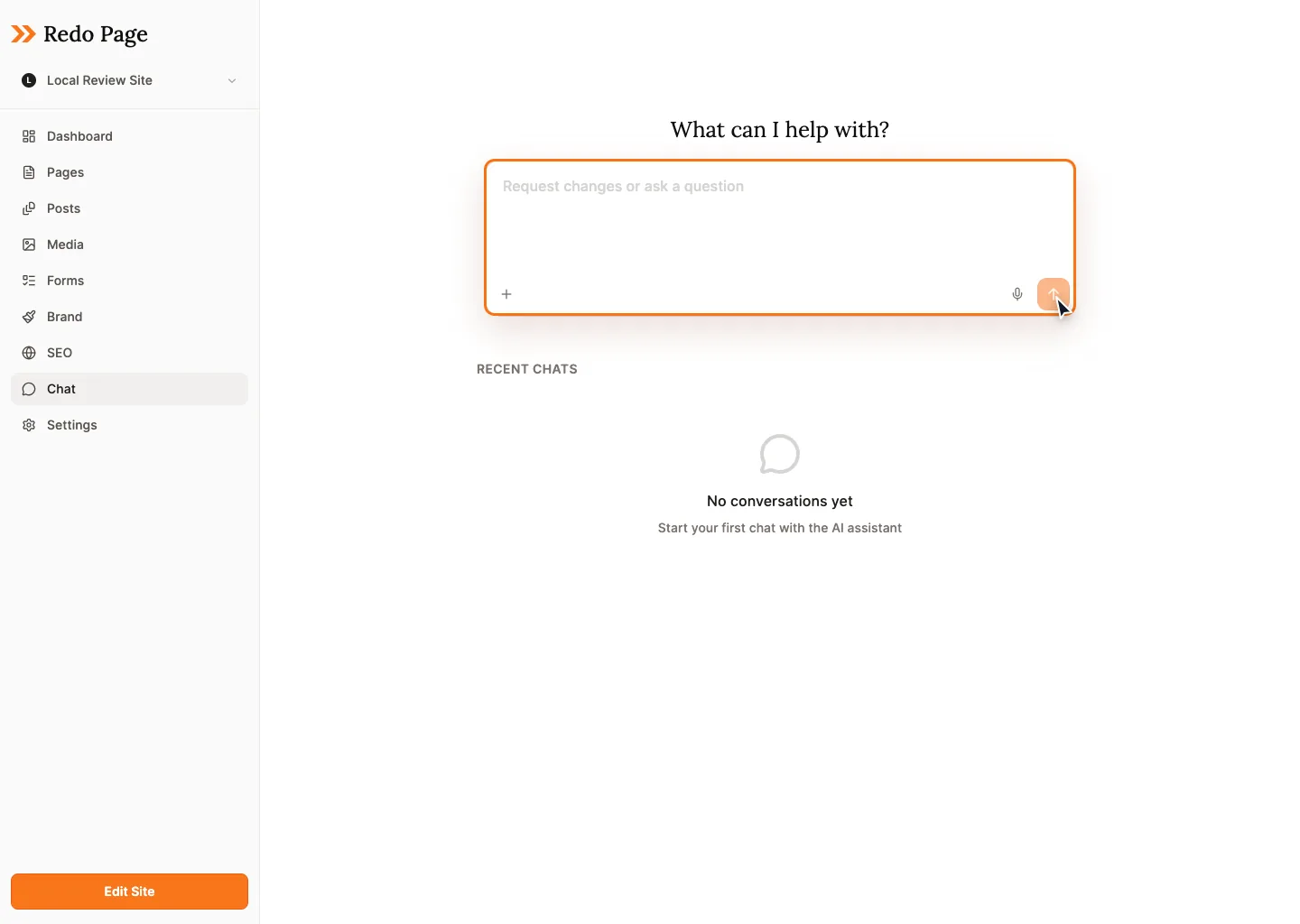
AI Chat
Need more hands-on help? Open the AI chat panel to have a conversation about your site. You can ask things like:
- "Add a testimonials section to my home page"
- "Change all the buttons to be rounded"
- "Write a new About page for my business"
- "What should I add to make this page more engaging?"
The AI can make changes directly to your site - you'll see them happen in real-time and can undo anything you don't like.
Copyable Prompts
Good prompts give the AI context, constraints, and a goal. Start with one of these, then edit the bracketed parts.
Homepage improvement prompt
Improve my homepage for a local service business.

Goal: get more qualified leads.
Audience:
Services:
Location:
Tone:
What makes us different:

Suggest the sections I should have, then update the page copy section by section.
Rewrite section prompt
Rewrite this section so it is clearer and more convincing.

Audience:
Main point:
Tone:
Keep:
Avoid:

Make it concise, specific, and easy to scan.
Image brief helper
Create an image brief for a website hero.

Business type:
Mood:
Setting:
Colors to include or avoid:
Style: photo / illustration / abstract
Must not include:

Return one polished brief I can use when choosing or requesting an image.
Prompting Tips
- Say who the page is for.
- Say what action you want visitors to take.
- Give examples of tone: direct, warm, premium, technical, playful, calm.
- Name anything the AI should preserve, such as pricing, service names, or legal wording.
- Ask for one section at a time when accuracy matters.
What Counts as AI Usage?
Each plan includes a monthly allowance of AI usage. Here's what uses your allowance:
- Writing assistant: Each rewrite, expansion, or translation
- AI chat: Conversations that result in site changes
- Site review and planning: Requests that analyze pages or draft larger changes
Simple things like grammar fixes use very little. Larger page updates and site reviews use more. Check your dashboard to see your current usage.